Help Center

Need Help? We’ve Got You Covered

Find answers, explore features, and get the support you need.

Getting Started

Step-by-step instructions to set up your account and start managing your finances.

Video Tutorials

Watch and learn how to use our tools with guided walkthroughs.

Contact Support

Reach out to our team for personalized assistance anytime.
Frequently Asked Questions

Find answers to common questions about our features and services.
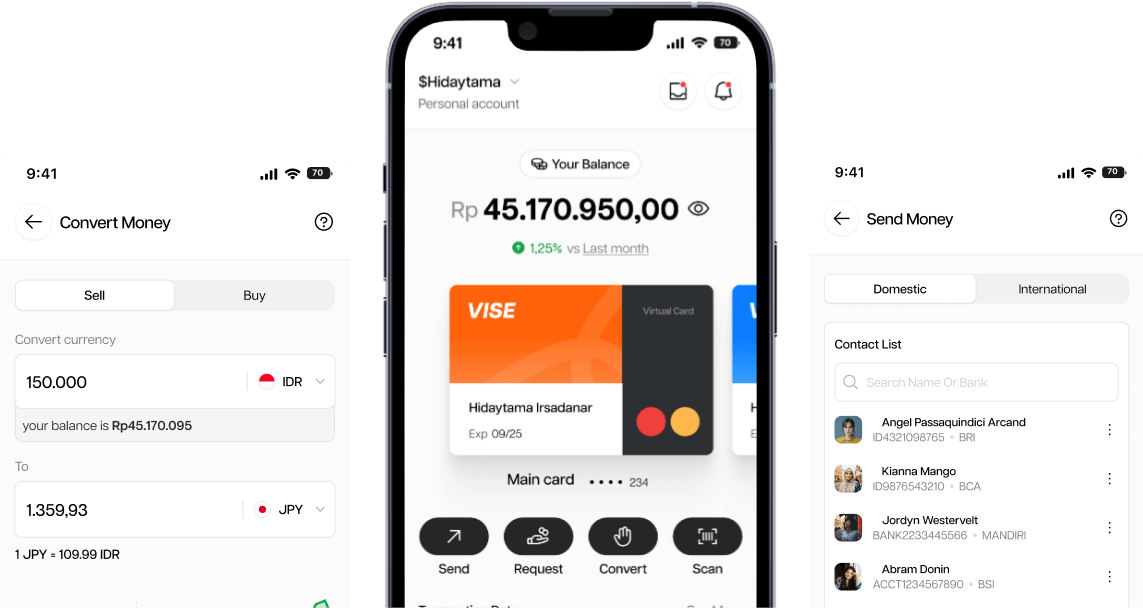
How do I send money using the app?
To send money, open the app, select “Send Money,” enter the recipient’s details, input the amount, and confirm the transaction. Your funds will be transferred instantly.
Is my financial data secure in the app?
To send money, open the app, select “Send Money,” enter the recipient’s details, input the amount, and confirm the transaction. Your funds will be transferred instantly.
How do I contact customer support?
To send money, open the app, select “Send Money,” enter the recipient’s details, input the amount, and confirm the transaction. Your funds will be transferred instantly.
Is my financial data secure in the app?
To send money, open the app, select “Send Money,” enter the recipient’s details, input the amount, and confirm the transaction. Your funds will be transferred instantly.
How do I send money using the app?
To send money, open the app, select “Send Money,” enter the recipient’s details, input the amount, and confirm the transaction. Your funds will be transferred instantly.
How do I contact customer support?
To send money, open the app, select “Send Money,” enter the recipient’s details, input the amount, and confirm the transaction. Your funds will be transferred instantly.
How do I contact customer support?
How do I send money using the app?
To send money, open the app, select “Send Money,” enter the recipient’s details, input the amount, and confirm the transaction. Your funds will be transferred instantly.
Is my financial data secure in the app?
To send money, open the app, select “Send Money,” enter the recipient’s details, input the amount, and confirm the transaction. Your funds will be transferred instantly.
Is my financial data secure in the app?
To send money, open the app, select “Send Money,” enter the recipient’s details, input the amount, and confirm the transaction. Your funds will be transferred instantly.
How do I send money using the app?
To send money, open the app, select “Send Money,” enter the recipient’s details, input the amount, and confirm the transaction. Your funds will be transferred instantly.
How do I contact customer support?
To send money, open the app, select “Send Money,” enter the recipient’s details, input the amount, and confirm the transaction. Your funds will be transferred instantly.
How do I send money using the app?
To send money, open the app, select “Send Money,” enter the recipient’s details, input the amount, and confirm the transaction. Your funds will be transferred instantly.
Is my financial data secure in the app?
To send money, open the app, select “Send Money,” enter the recipient’s details, input the amount, and confirm the transaction. Your funds will be transferred instantly.
How do I contact customer support?
To send money, open the app, select “Send Money,” enter the recipient’s details, input the amount, and confirm the transaction. Your funds will be transferred instantly.